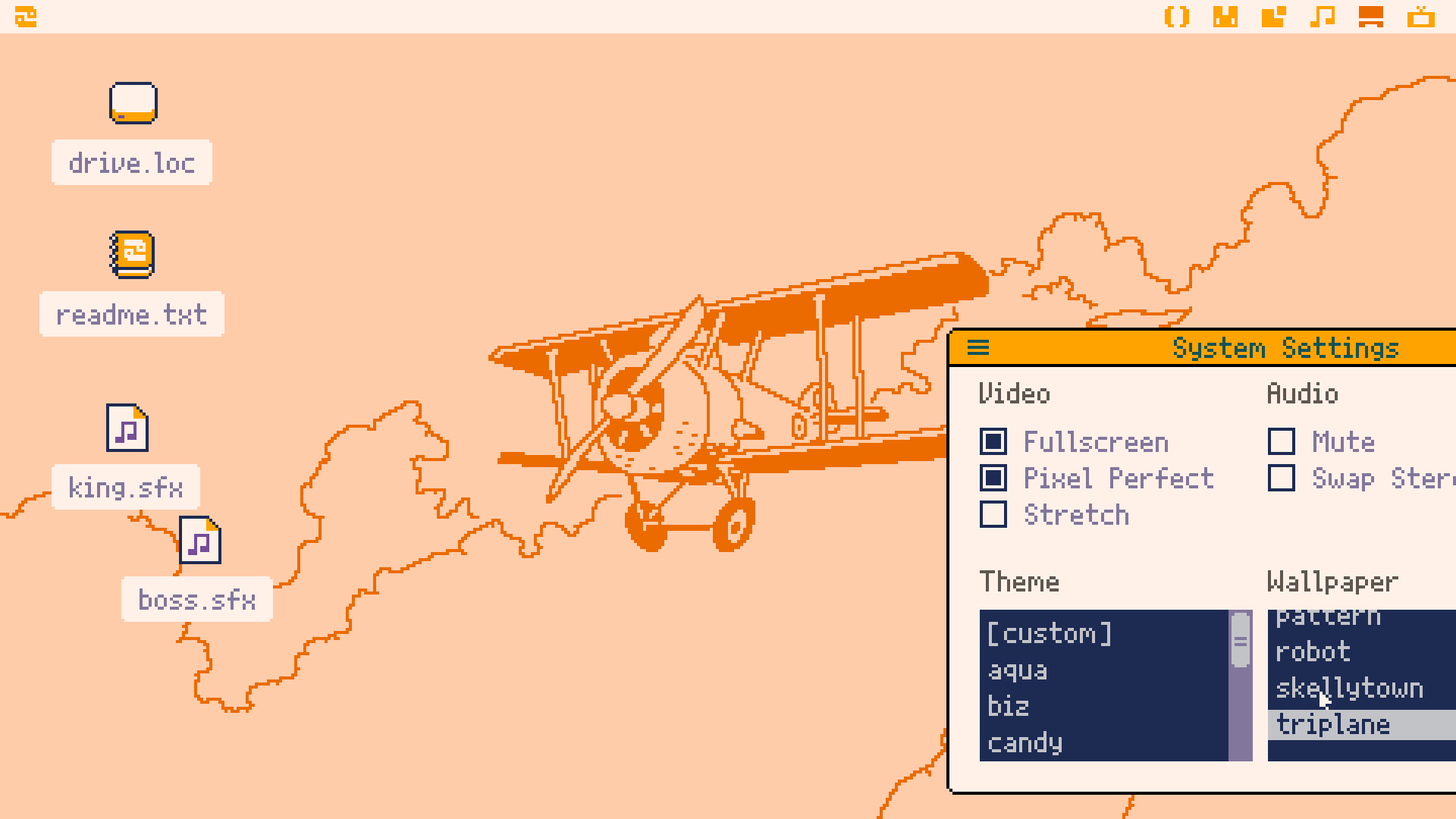
Picotron is Lexaloffle's "fantasy workstation." It comes from Joseph "Zep" White, the same person who made PICO-8, and it carries the same idea into something bigger. Where PICO-8 is one small game console, Picotron is more like a tiny toy computer: it boots into its own little desktop, with windows and built-in tools, and you make games, animations, music, and odd little programs inside it.
I find it easiest to describe it like this: PICO-8 hands you a cartridge slot, and Picotron hands you a whole (very small) operating system. The limits are still there on purpose. They're not Lexaloffle being lazy — they're the point. A small screen and a fixed set of tools keep the whole machine in your head, and that turns out to be a really nice way to make things.
| Spec | Value |
|---|---|
| Display | 480×270 px, with a 240×135 mode |
| Palette | 64 definable colors |
| Audio | 64-node synth with an 8-channel tracker |
| Language | Lua 5.4 with PICO-8-compatibility features |
| Cartridges | .p64 / .p64.png |
| Sharing | Lexaloffle BBS |
| Platform | Windows, macOS, Linux |
| Form factor | Desktop app with built-in windowed tools |
As of 2026, Picotron is still in active alpha / early access. It's sold as a one-time purchase — buy it once, get the future updates — for somewhere around US$11.99. Prices and version numbers move, though, so check the official site for the current figure rather than trusting a number you read in an article.
Here's the short version of what you get:
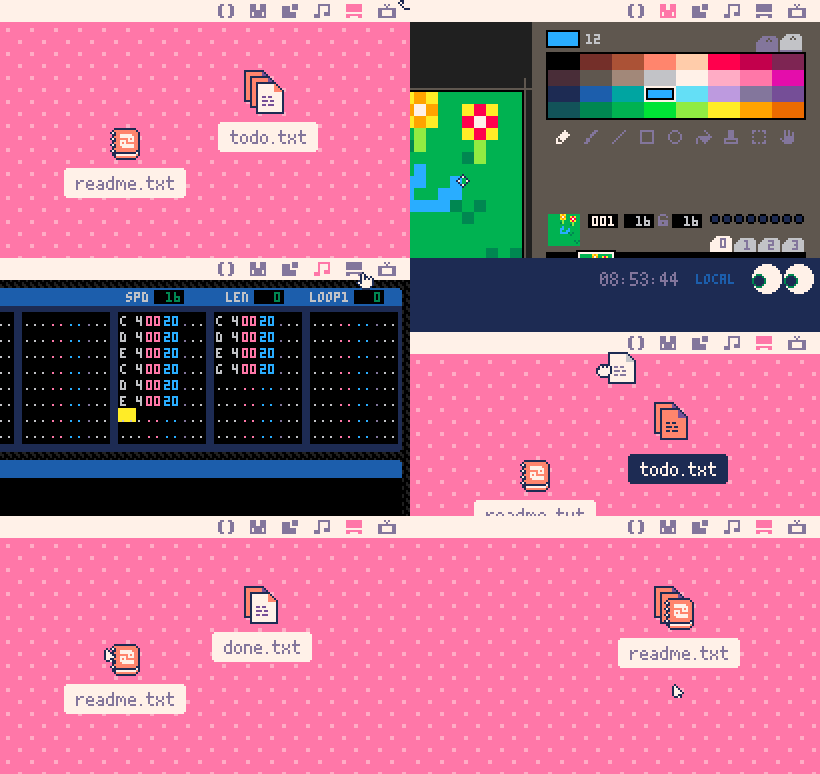
If you're sizing it up, I'd skip the question "how powerful is it?" It's a small machine and it's meant to be. The better question is "do I enjoy making things inside a box with clear edges?" If that sounds good, read on.
For a guided tour of the whole environment, this intro pairs well with the official docs:
Talking about a fantasy console only gets you so far. The fastest way to understand Picotron is to put something on the screen. So let's do the smallest possible thing.
A Picotron program is built around a few callback functions that the machine calls for you. You don't write a loop yourself — Picotron runs one. The three you'll meet first are:
_init() — runs once at the start. Set things up here._update() — runs every frame, before drawing. Put your logic here._draw() — runs every frame, after the update. Put your drawing here.For an actual hello world, you don't even need all three. Drawing is enough:
function _draw()
  cls(0)
  print("hello world", 16, 16, 7)
end
Three lines, and that's a working program. Here's what each one does:
cls(0) clears the screen to color 0 (black) every frame, so old frames don't smear.print("hello world", 16, 16, 7) draws the text at x=16, y=16 in color 7 (white)._draw wrapper tells Picotron "call this every frame."To try it: open the code editor in Picotron, type the snippet in, and run the cart (the run shortcut is Ctrl-R — the exact keys are in the manual). You should see white text in the top-left of a black screen. To keep it, save it from the terminal with something like save hello.p64. If a detail of the workflow looks different in your version, the manual is the source of truth — early access moves around.
Static text is a fine "it works" moment, but the reason these machines are fun is that they're interactive. Let's make something you can actually push around.
This little program draws a circle and moves it with the arrow keys. It uses all three callbacks, plus btn(), which tells you whether a button is currently held down:
-- a dot you can move with the arrow keys
local x, y

function _init()
  -- start in the middle of the 480x270 screen
  x = 240
  y = 135
end

function _update()
  if btn(0) then x -= 2 end  -- left
  if btn(1) then x += 2 end  -- right
  if btn(2) then y -= 2 end  -- up
  if btn(3) then y += 2 end  -- down
end

function _draw()
  cls(1)                       -- clear to dark blue
  circfill(x, y, 8, 12)        -- a light-blue dot, radius 8
  print("use the arrow keys", 8, 8, 7)
end
A few things worth noticing, because they're typical of how these machines feel:
btn(0) through btn(3) are left, right, up, and down. (4 and 5 are the two action buttons.) You don't wire up a keyboard event system — you just ask "is this button down right now?" every frame.+= and -= work. That compound-assignment shorthand comes from PICO-8's Lua dialect, and Picotron keeps it. x -= 2 is just x = x - 2.x and y are ordinary locals. _init sets them, _update changes them, _draw reads them. That's the whole pattern — and honestly most small games are just a bigger version of exactly this.Once that clicks, you've got the core loop of nearly every game on the machine: read input, update some numbers, draw the result, repeat sixty times a second. Everything else — sprites, sound, maps — is more of the same shape with more functions to call.
If you want a longer beginner walkthrough that builds on this, this seminar talk is a good companion:
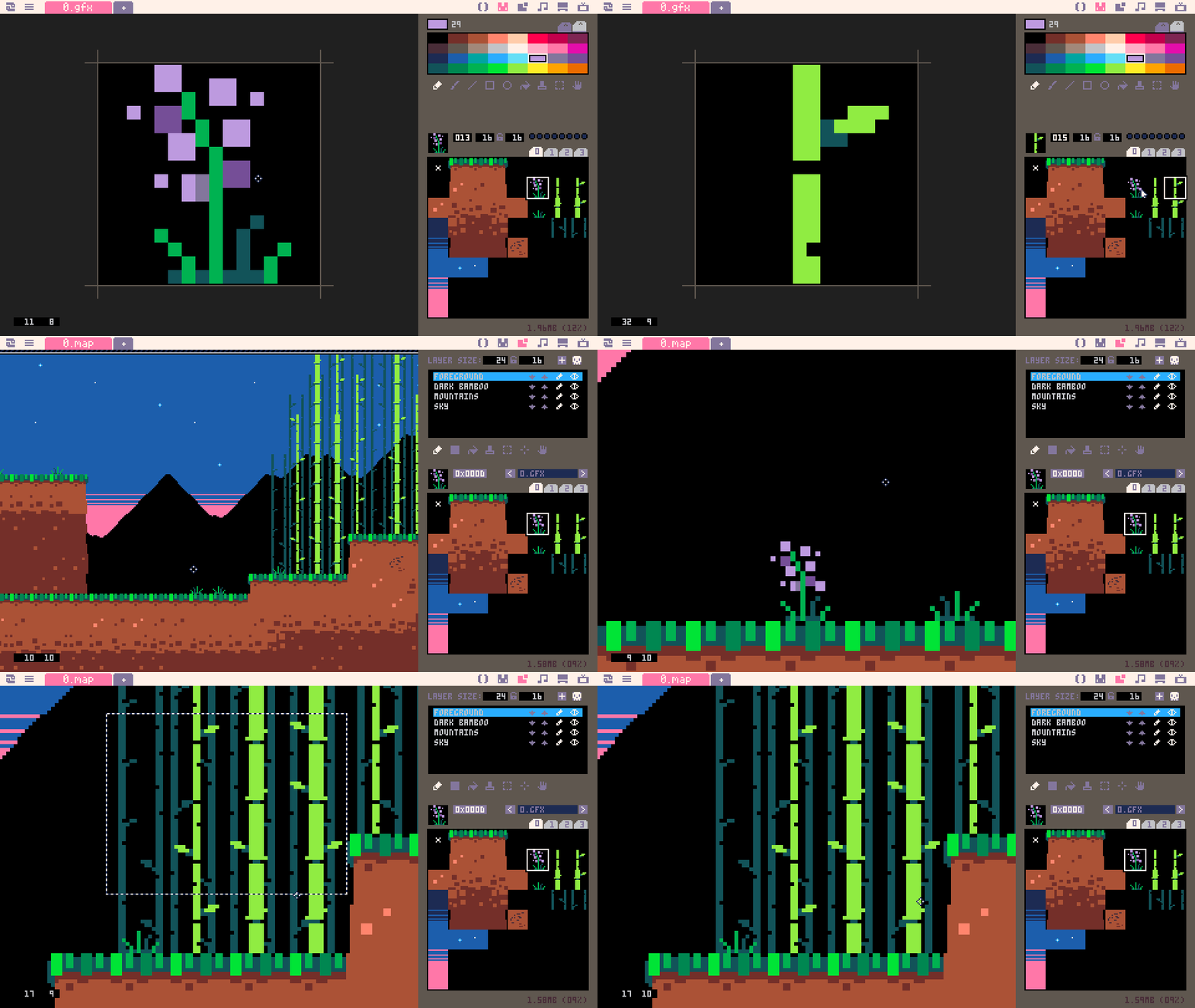
The code editor is only one window. Picotron's pitch is that everything you need is already in the box, so you don't leave to make art or sound.
The nice thing about having it all in one place is that the loop between "I had an idea" and "I can see and hear it running" stays really short. You're not exporting assets from one program and importing them into another. You draw a sprite, switch to the code window, draw it on screen, and run. That tightness is a big part of why people get attached to these machines.
It's worth taking the specs as design decisions rather than spec-sheet bragging.
The 480×270 screen is small for a desktop, but it's large enough for several windows and richer layouts than PICO-8's 128×128. The optional 240×135 mode is there when you want a chunkier, lower-res look. Either way you're working at a size where individual pixels still matter, which keeps that handmade pixel-art character.
The 64 definable colors are a real step up from a 16-color machine — enough for nicer shading and more interesting UI — but it's still a palette you choose, not "any color you want." That limit keeps a piece visually coherent almost by default.
The audio (the 64-node synth and 8-channel tracker) tells you sound is a first-class part of the platform, not an afterthought you bolt on. If you've used retro tracker tools, it'll feel familiar; if you haven't, it's a contained place to learn.
And the cartridge formats — .p64, or .p64.png which packs a cart into a label image — keep everything small and portable. A whole project is a little artifact you can hand to someone, not a sprawling folder of build tools. The Lexaloffle BBS is the official spot to share those carts.
Compared with PICO-8, Picotron isn't just "PICO-8 with the limits loosened." PICO-8 is tighter and more 8-bit; Picotron is a windowed workstation with a bigger screen, more colors, more editors, and Lua 5.4. The practical upshot: Picotron is happier with more elaborate UIs and tool-like projects, while PICO-8 pushes you toward tiny, tightly-compressed carts. Different sweet spots, same family.
Compared with TIC-80, PixelVision8, WASM-4, and LIKO-12, Picotron sits in its own spot. TIC-80 is also a fantasy console with built-in tools, but it's usually framed as a single console rather than a whole desktop. PixelVision8 leans hard into retro game-making inside one environment. WASM-4 is the minimalist of the group — a very tiny, web-delivered console with strict limits. LIKO-12 is another fantasy machine in the broad family. Picotron's distinguishing move is the workstation framing: it's the one that most changes the shape of your workflow, because you're working inside a little OS.
So the question for a newcomer is mostly about scope. Want the smallest possible box? WASM-4. Want a familiar retro game-builder? TIC-80 or PixelVision8. Want a bounded little operating system with a deskful of tools? That's where Picotron is interesting.

PICO-8 made the case that artificial limits are good for you — they help you learn, experiment, and actually finish things. Picotron takes that idea and asks a slightly bigger question: what if the whole workspace, not just the game, were designed as a cosy little toy?
That matters for the in-between projects — the things that aren't quite "a game": editors, visual experiments, audio toys, screensavers, demos, small interactive doodads. A workstation with windows and tools is a comfortable home for those in a way a single-game console isn't.
It also matters for the community. These machines get more valuable when people share not just finished carts but the how — code patterns, tricks, tool habits. The BBS is where that happens. If Picotron grows a lasting culture, it'll be because people keep posting small, readable carts that newcomers can take apart and learn from.
My honest test for whether it's for you: do you like working inside a machine with a clear identity and clear edges? If yes, Picotron is a lovely place to spend an afternoon. If you'd rather have unlimited tooling and a big production pipeline, its charm will be harder to see — and that's fine.
There's no official public source repository for Picotron — it's a closed-source, commercial product — so there's no GitHub link to include.
Grab it from the official Picotron site, open the manual, then poke around the Lexaloffle BBS to see what people are actually building. Try the hello-world snippet above first; it's a two-minute way to confirm everything works and to get a feel for the edit-run loop. Once you're past your first cart, this short tutorial on auto-updating behavior is a handy next step:
If you get that far and want to push past hello-world into something you'd actually save and post to the BBS, there's a follow-up piece that picks up right here: