LIKO-12 is an open-source fantasy computer built on the LÖVE framework and written entirely in Lua. It exists as a creative sandbox for making, playing, and sharing small retro-styled games and programs, with a deliberately constrained hardware model and a built-in operating environment called DiskOS.
For newcomers, the important point is not that LIKO-12 tries to emulate a real machine, but that it presents a consistent, limited platform for hobby game development — one that is easy to inspect, modify, and run on common desktop operating systems.
| Spec | Value |
|---|---|
| Display | 192×128 px |
| Palette | 16 colors, with a customizable default palette |
| Language | Lua |
| Platform | LÖVE (Love2D) framework |
| Operating environment | BIOS + DiskOS |
| Built-in tools | Command line, code editor, sprite editor, map editor, sound editor |
| Distribution | Windows, macOS, Linux, Android, Snapcraft |
| Sharing / community | Official site, docs, GitHub, Discord, itch.io, X/Twitter |
It is a fantasy computer, not just a toolkit. LIKO-12 presents a fake-but-coherent machine model: it boots through a BIOS, reports a 192×128 4-bit GPU, and exposes a LuaJIT CPU at startup. That makes it feel like a small self-contained computer rather than a loose collection of scripts and panels.
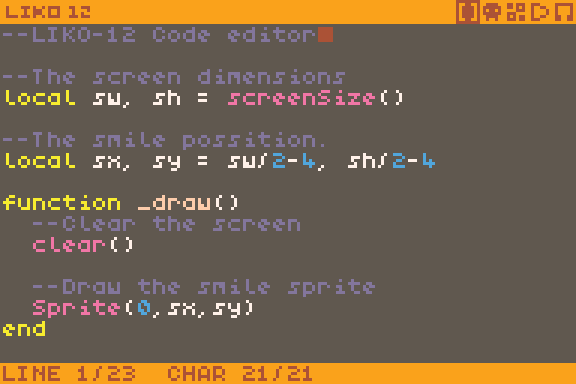
DiskOS is part of the experience. Instead of dropping you directly into an empty code editor, LIKO-12 boots into a customizable DOS-like operating system called DiskOS. According to the official site and extras repository, DiskOS includes a command line and built-in visual editors for code, sprites, maps, and sound. For many fantasy-console users, that integrated workflow is a major part of the appeal.
It is written in Lua and built on LÖVE. That combination matters because it lowers the barrier for people who already know Lua, while also making the project open to modification by users who want to study or extend the platform itself. The official GitHub repository is the best place to inspect the code and follow the project’s structure.
Its constraints are real, but different from PICO-8. LIKO-12 is explicitly inspired by PICO-8, and the official docs compare the two directly. LIKO-12 has a wider screen, no code token limit, and more graphics memory, but it uses a different API. So it is not a direct clone; it is a separate fantasy machine with its own trade-offs.
The visual language is intentionally fixed-width and low-color. A 16-color palette and a 192×128 display keep projects compact and readable. The default palette is the PICO-8 palette, and the palette itself is customizable through the project’s palette system documented in the official wiki.
LIKO-12’s boot screen and built-in editors make it approachable for people who enjoy working inside the machine they are building for. If you are coming from general-purpose game engines, the idea here is narrower: accept the machine’s limits, then design within them.
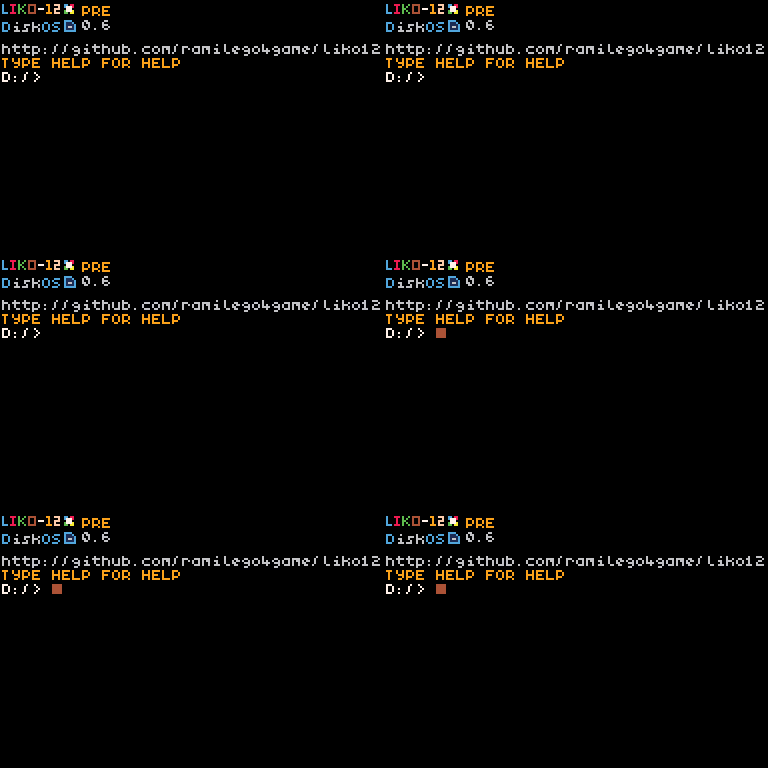
At the system level, LIKO-12 behaves like a compact computer with a BIOS, an operating system, and a fixed graphics target. The boot process matters because it frames the software as a machine you can inhabit: you start in DiskOS, use its tools, and then run cartridges or programs from there. That is closer to the fantasy-console model than to a conventional IDE.
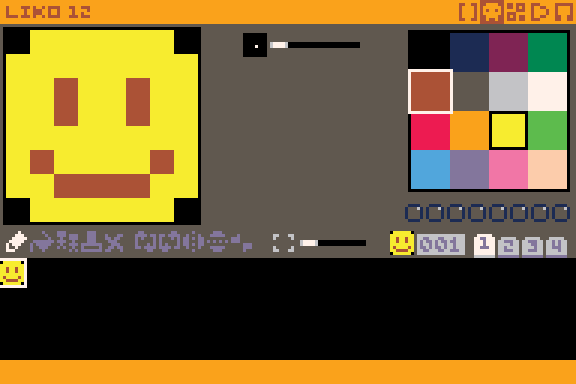
The system’s public face is also unusually clear about its limits. The display is 192×128 pixels, the palette is 16 colors, and programs are written in Lua. The official site notes that the default palette is the PICO-8 palette, while the wiki documents palette customization. Those constraints are not just decorative; they shape how much detail you can present, how text must be sized, and how art and UI have to be simplified.
The lack of a code token limit is another important distinction from PICO-8. In practice, that means LIKO-12 can be friendlier for larger experiments or for people who want to bring over more elaborate Lua code. But “more room” does not remove the fantasy-console ethos. The screen is still small, the color count is still low, and the API is intentionally different from more general game frameworks.
This example game shows the sort of small, retro-looking project LIKO-12 is designed to host.
Compared with PICO-8, LIKO-12 sits in a similar design space but with looser limits in some areas. Both are fantasy consoles aimed at small games, retro-style graphics, and sharing within a constrained format. LIKO-12’s official materials emphasize a wider screen, no code token limit, and more graphics memory, while also noting that it uses a different API. If you like the concept of PICO-8 but want a wider canvas and less pressure to compress code into a tiny token budget, LIKO-12 is worth a look.
Compared with TIC-80, LIKO-12 is similarly open-ended in spirit but organized differently. TIC-80 is widely used as an all-in-one fantasy console with built-in editors and a cartridge-based workflow; LIKO-12 also has built-in editors and a cartridge-like, self-contained feel, but its DOS-like DiskOS and Lua-first architecture give it a distinct identity. For a newcomer, the practical question is less “which one is objectively better?” and more “which machine model do I want to learn?” LIKO-12 leans into the idea of a bootable mini-OS.
Compared with PixelVision8, LIKO-12 feels closer to a classic fantasy-computer shell than to a game-making toybox. PixelVision8 is also about making within a constrained retro machine, but LIKO-12’s official framing centers on its BIOS, DiskOS, and built-in tools as part of the machine experience. If you enjoy the notion of navigating a tiny operating system before loading your game, LIKO-12’s presentation will likely make sense to you.
Compared with WASM-4, LIKO-12 is less about being a minimal web-targeted cartridge format and more about being a self-contained desktop fantasy computer. WASM-4 is designed around a very small virtual console exposed through WebAssembly, with strong browser-first distribution. LIKO-12, by contrast, runs through LÖVE on Windows, macOS, and Linux, and is also distributed for Android and Snapcraft. So while both enforce small-game thinking, their deployment and user experience are different.
In short, LIKO-12 is part of the same broad family as these systems, but it distinguishes itself with its DOS-like shell, its Lua-only implementation, and its strong emphasis on being an open-source machine rather than only an export target.
Fantasy consoles matter because they make constraints visible. In a large engine, you can solve problems by adding plugins, more memory, or another library. In a fantasy computer, the limits are the curriculum. LIKO-12’s 192×128 screen, 16-color palette, and built-in editors encourage small, finished projects and force design decisions earlier. That is valuable for beginners, but it is also useful for experienced developers who want a narrower creative frame.
LIKO-12 is also significant because it is open source and implemented in Lua on top of LÖVE. That combination makes it easier to study how a fantasy console is put together. If you are interested in creative coding as both an art practice and a technical system, the GitHub repository and the official documentation give you a view into the machine itself, not just into the games made for it.
The community angle matters too. The official site links to the documentation, the GitHub repository, the itch.io page, Discord, and the creator’s X account. That is a fairly typical ecosystem for an indie creative platform, but in a fantasy-console context it means you can move from reading about the system to seeing examples, asking questions, and sharing cartridges with other users. The official YouTube development stream and game examples also help newcomers understand what actual LIKO-12 projects look like in motion.
For a closer look at the machine and the system-level work behind it, this stream from creator Rami Sabbagh shows LIKO-12 development in progress.
If you are deciding whether to try LIKO-12, the most relevant question is what kind of work you want to do.
The official documentation is the best place to confirm editor behavior, cartridge handling, and current community-facing details. Because fantasy-console projects evolve, it is better to consult the project’s own docs and GitHub wiki than to rely on old tutorials or third-party summaries.
The full source lives on GitHub. The repository card below links straight to it:
If you are new to fantasy consoles, the simplest way to start is to read the official docs, open the GitHub repository, and then try the built-in editors from DiskOS. That will give you the clearest picture of how LIKO-12’s constraints shape its workflow and its kinds of projects.