Microsoft MakeCode Arcade is a free, web-based platform for making retro-style arcade games, with a clear focus on beginners and classroom use. It sits inside Microsoft’s MakeCode ecosystem, which means it is both a teaching environment and an open-source toolchain for building and sharing small games.
As a fantasy-console-adjacent system, it matters because it deliberately constrains the playfield, controls, graphics, and sound to something simple enough to learn quickly. Those limits are not accidental: they shape how games are built, how they fit on hardware, and how new programmers can understand the basics of interactive software.
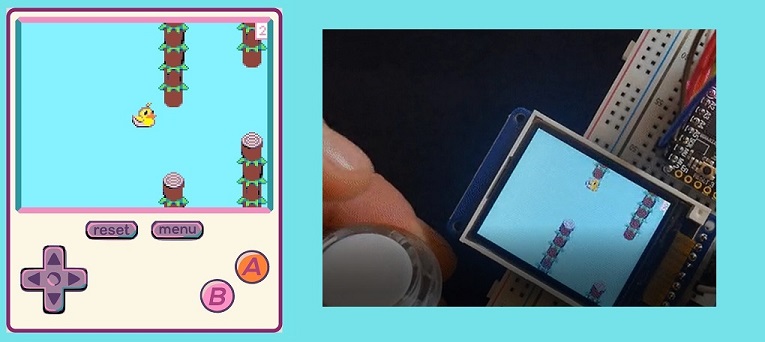
| Spec | Value |
|---|---|
| Display | 160×120 px |
| Palette | 16 colors total, with 15 colors plus transparency; user-customizable palette |
| Sound | 4-channel retro sound system |
| Controls | 8 buttons: D-pad directions, A, B, MENU, RESET |
| Programming languages | Blocks, JavaScript (Static TypeScript), Python |
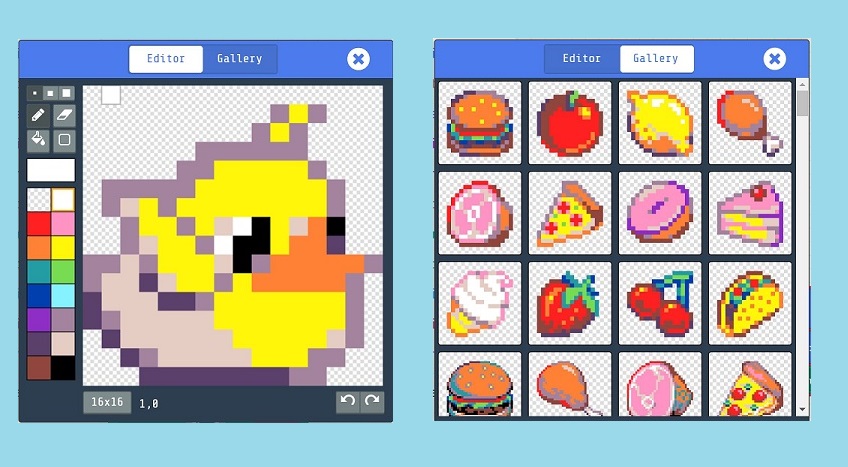
| Editors | Built-in sprite, tilemap, and animation editors |
| Cartridge / sharing | Browser share links on arcade.makecode.com |
A newcomer’s first useful mental model is that MakeCode Arcade is less like a modern game engine and more like a small, deliberately bounded machine. You do not start with a sprawling project structure. You start with a tiny screen, a modest palette, a handful of inputs, and an engine that already knows how to handle sprites, collisions, tilemaps, and particles.
That built-in engine matters. The official docs and project pages describe platformer-style collisions, tilemaps, and particle systems as part of the platform, which means many common arcade-game tasks are available without implementing the low-level plumbing yourself. For learners, that lowers the barrier to making something playable.
The official site also emphasizes sharing through arcade.makecode.com links, which is a practical part of the experience. Instead of packaging and installing a build in the usual desktop-engine sense, you often create a share link and send it to someone else. That makes the platform feel immediate and social without requiring a traditional release pipeline.
The defining limitation is the display: 160×120 pixels with 16 colors, described by Microsoft as 15 colors plus transparency and a user-customizable palette. That is enough for readable sprites, tilemaps, and UI, but not enough to hide sloppy composition. Shapes must be clear, silhouettes matter, and text must be handled carefully.
The control scheme is also compact: the D-pad directions, A, B, MENU, and RESET. This is a good fit for simple arcade genres, especially action games, platformers, and top-down movement. It also means the platform encourages games that communicate with movement, timing, and spatial arrangement rather than complex control layers.
Sound is similarly limited to a 4-channel retro sound system. That restriction is useful for learning because it keeps audio design close to the fundamentals: short effects, simple melodic lines, and a small number of simultaneous parts. You are not dealing with a studio-style mixer; you are working within a compact console-like sound model.
The important point is that these are not arbitrary shortages. They are the reason the platform is manageable. When a console has a small screen, a small palette, and a simple input set, beginners can focus on game logic, feel, and iteration rather than asset pipelines and engine configuration.
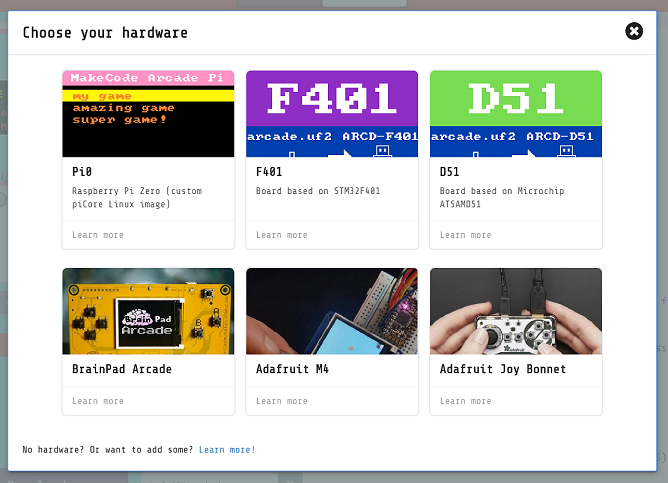
MakeCode Arcade belongs to the same broad family of fantasy consoles as TIC-80, PixelVision8, WASM-4, and LIKO-12, but it occupies a somewhat different niche. It is more directly aimed at education and classroom use than many of the others, and its official documentation is unusually explicit about switching between blocks, JavaScript, and Python. It also has a stronger built-in emphasis on hardware deployment, which gives it a bridge between browser play and physical handhelds.
Compared with TIC-80, MakeCode Arcade is generally more beginner-oriented in its presentation. TIC-80 is itself a fantasy console with a fixed-size screen, a constrained palette, and integrated creation tools, but it typically appeals more to hobbyists who want a compact virtual machine with a broad internal toolkit and a cartridge-based workflow. MakeCode Arcade’s blocks editor and school-friendly documentation make it easier to approach as a first coding environment, while TIC-80 often feels closer to a small retro development workstation.
Compared with PixelVision8, WASM-4, and LIKO-12, MakeCode Arcade is also distinct in how much of the engine is already surfaced as approachable, visual tooling. WASM-4 is especially minimal and code-centric by design, with a focus on making tiny games in WebAssembly. PixelVision8 and LIKO-12 sit somewhere else on the spectrum, each with its own language choices, editor model, and community habits. MakeCode Arcade’s main advantage for newcomers is that the language path is flexible: blocks first, then code if desired, while still staying inside a recognizable console-like environment.
The cartridge metaphor is useful here. In a fantasy-console context, a cartridge is usually the unit of sharing and archiving. MakeCode Arcade uses browser share links rather than a classic ROM file workflow for most everyday sharing, but the underlying idea is similar: a game is a compact package that can be passed around and opened in the same runtime. That makes it fit naturally beside fantasy-console traditions even though it is delivered through a web app.
MakeCode Arcade matters because it lowers the threshold for making complete games without removing the important constraints that teach good habits. A learner sees the full loop: input, update, drawing, collision, sound, and sharing. Because the platform hides a lot of setup, the basics of game programming become visible earlier.
Its three-language model is also significant. Many beginner platforms lock users into one syntax or one interaction style. MakeCode Arcade instead lets the learner move from blocks to Static TypeScript to Python within the same project. That progression is useful pedagogically because it does not require abandoning a finished environment once the first stage of learning is over.
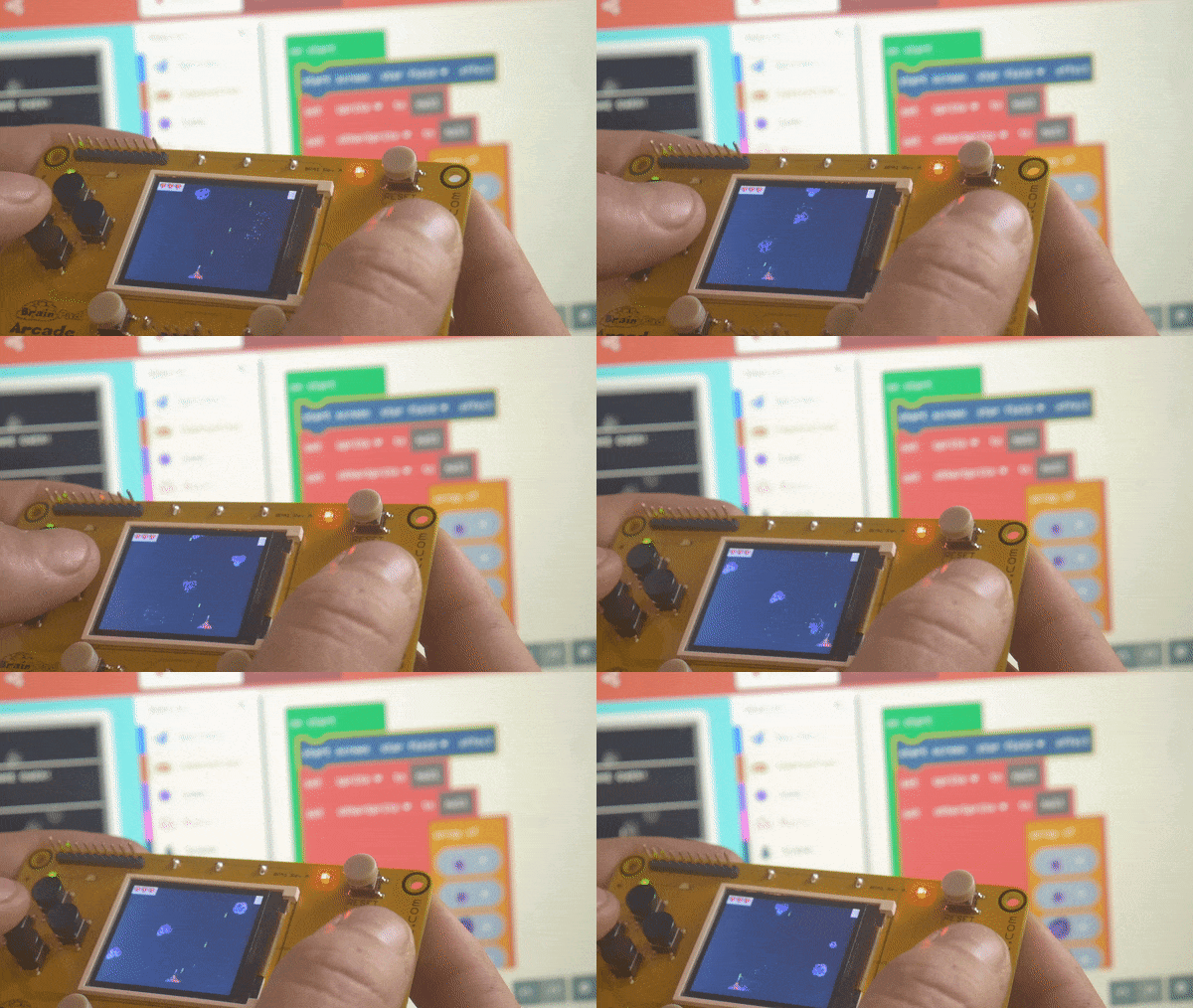
The hardware angle is another long-term strength. The official hardware pages show that the platform is not only a browser toy or an education demo; it can be compiled to real handhelds and boards. That gives the work a physical endpoint: a small game can become something you hold in your hands, not just something you preview in a tab. For some learners, that is a strong bridge from “I made a thing online” to “I understand how a game system works.”
There is also a preservation and accessibility angle. Because the project is open source under MIT as part of Microsoft MakeCode / PXT, the tooling is inspectable and remixable. The official GitHub repositories and documentation make it easier for the community to study how the platform works, report issues, and build related tooling. The forum and official pages create a public record of how the platform is used and supported.
For the broader fantasy-console scene, MakeCode Arcade is important because it widens the audience. Not every fantasy console has to be aimed at experienced hobbyists. A platform can be intentionally limited, technically coherent, and still friendly to first-time users. That combination helps normalize the idea that a game console can be a teaching instrument as well as a creative toy.
If you are new to the platform, the best first step is to open the official site and try one of the built-in tutorials or examples. The Microsoft MakeCode team also provides introductory videos that show the basic workflow. This one covers the overall getting-started path:
A second useful starting point is a more focused tutorial on building a platformer. It shows how the platform’s sprite, collision, and tilemap concepts fit together:
And if you want a broader external walkthrough of the workflow, this tutorial gives a quick, practical look at making a game from scratch:
The editor is open source on GitHub. The repository card below links straight to it:
For the most current getting-started material, hardware support details, and editor behavior, check the official site and documentation rather than relying on older examples or third-party summaries.