Pyxel is a free, open-source retro game engine for Python. It exists for people who want the constraints and visual language of fantasy consoles—small screens, limited palettes, simple audio, and a strong bias toward pixel-art games—without leaving the Python ecosystem. The project’s own documentation and repository make that intent explicit: Pyxel’s APIs and palette deliberately reference PICO-8 and TIC-80, but it is implemented as a Python-friendly engine rather than a standalone fantasy console.
For newcomers, that makes Pyxel an interesting middle ground. It gives you a compact creative environment, a built-in editor, and a clear set of limits, while still letting you use a mainstream language and standard Python workflows.

| Spec | Value |
|---|---|
| Language | Python |
| Display | Small low-resolution screen |
| Palette | 16 colors |
| Audio | 4 sound channels |
| Cartridge / resource format | .pyxres |
| Built-in editor | Pyxel Editor |
| Platforms | Windows, macOS, Linux; web browser export supported |
| Sharing / distribution | Python apps; packaged via the pyxel command |
It brings fantasy-console-style constraints to Python.
Pyxel is explicitly designed around a small screen, a 16-color palette, and four sound channels. Those limits are part of the point: they encourage readable graphics, compact assets, and focused game design.
It includes a built-in asset workflow.
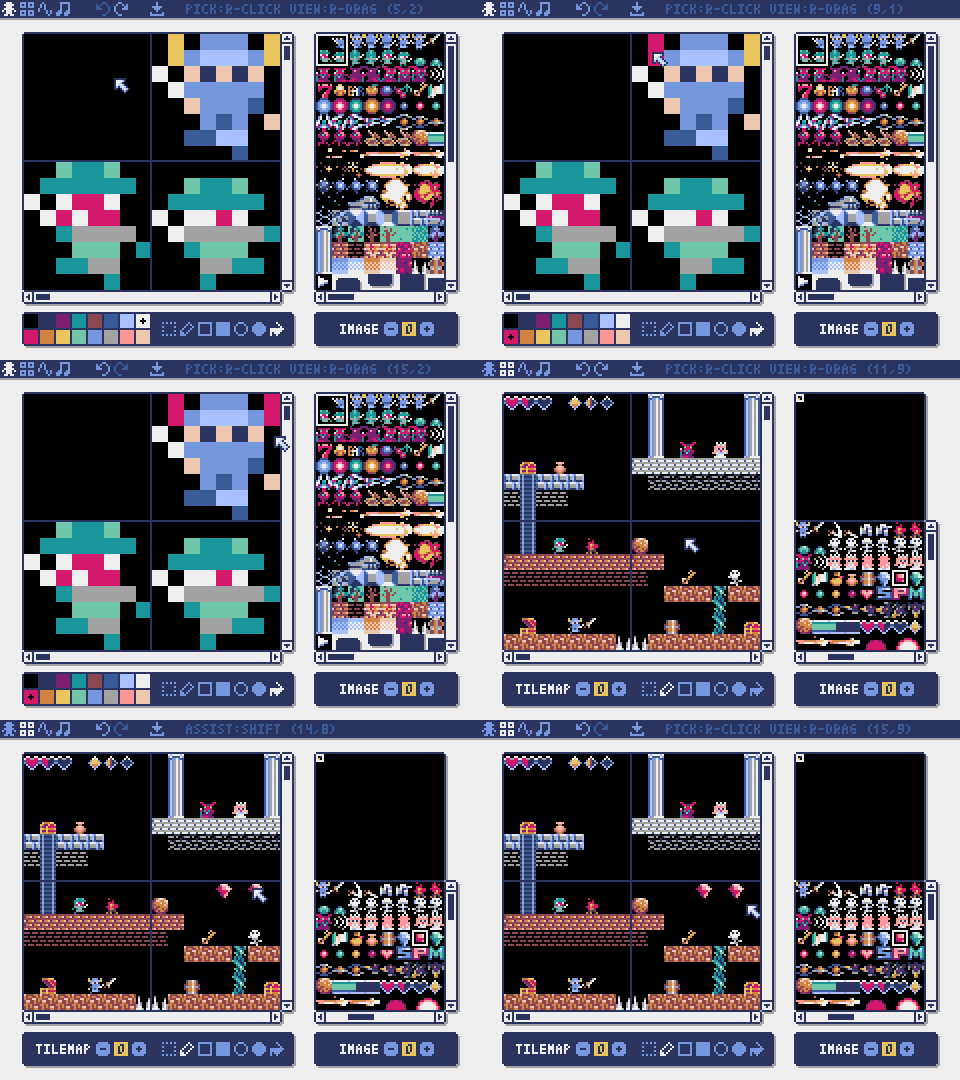
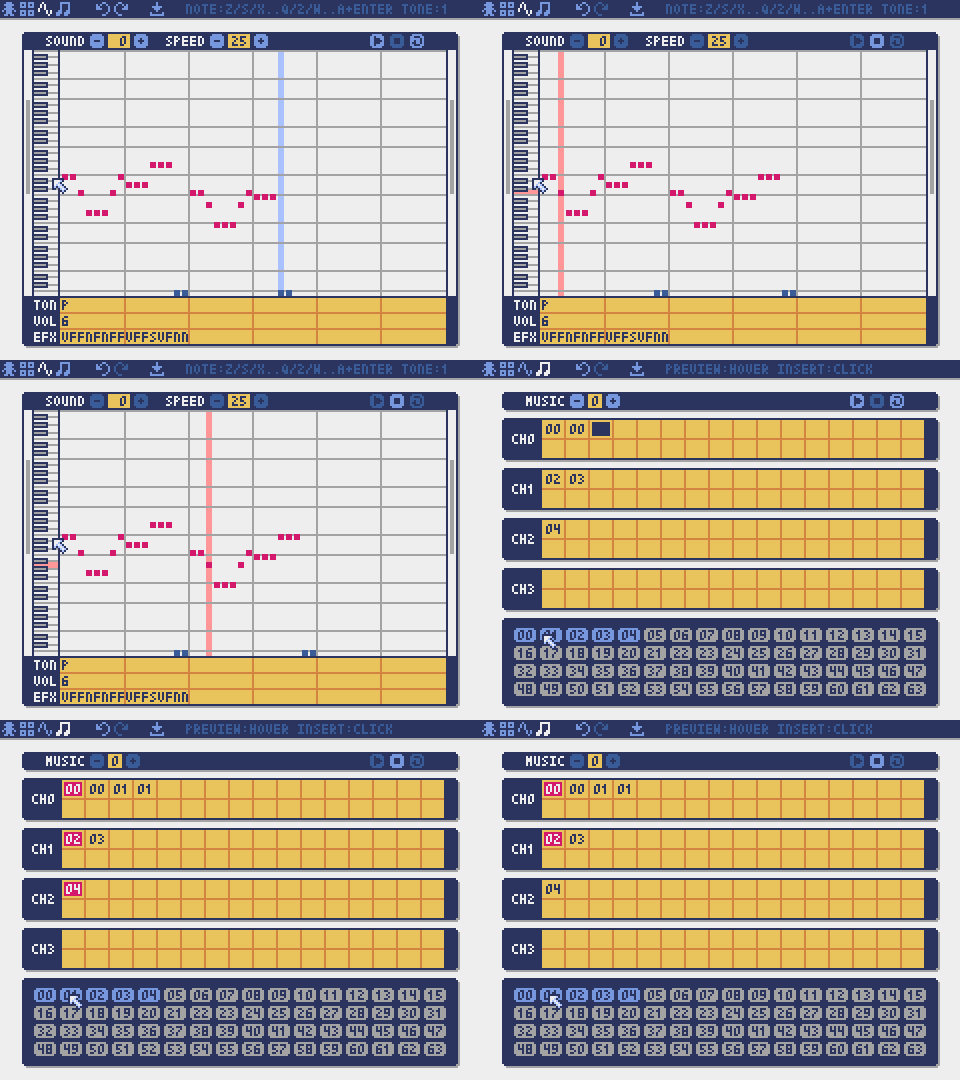
The official Pyxel Editor is used to create images, tilemaps, sound effects, and music. Resources are saved in .pyxres files, which keeps artwork and game code in the same small-project mindset.
The command-line workflow is simple and integrated.
According to the official repository, the pyxel command can run, edit, and package apps. That is a practical fit for hobby projects, classroom settings, and small experiments.
It stays close to Python tooling.
You install it with pip install pyxel, then write games in Python. That lowers the barrier for people who already know Python from scripting, data work, or general programming.
It is cross-platform and browser-friendly.
The project supports Windows, macOS, and Linux, and Pyxel apps can also be exported to run in a web browser. That makes sharing prototypes easier than with desktop-only hobby engines.
Pyxel’s own README is the best place to verify current details, especially if you want the latest on APIs, examples, or release-specific features. The GitHub repository is also where the maintainers link the official community channels and documentation.
If you want a guided walkthrough, this tutorial is a practical introduction to the basics of Pyxel’s workflow:
That distinction matters. A fantasy console such as PICO-8 is usually understood as a self-contained virtual game machine with its own editor, cartridge format, and internal rules. Pyxel borrows the design philosophy but keeps Python at the center. In practice, that means you are not learning a custom scripting language or a closed cartridge ecosystem; you are learning how to make constrained games in Python.
For some creators, that is the main attraction. If you already know Python, Pyxel lets you apply that knowledge immediately. If you do not, it can still work as an introductory environment because the code surface is small and the built-in editor handles the visual and audio assets. The result is less about engine spectacle and more about reducing scope.
Compared with TIC-80, Pyxel is less of a pure fantasy-console environment and more of a Python game engine shaped by fantasy-console ideas. TIC-80 is centered on its own cartridge-based, all-in-one retro workflow, while Pyxel leans on Python and the pyxel command for running, editing, and packaging. If you want a more traditional fantasy-console feel, TIC-80 is closer to that model; if you want Python first, Pyxel is the more direct fit.
Against PixelVision8 and WASM-4, the difference is again about the container and the language. Those projects are generally discussed as fantasy-console or virtual-console environments with their own constraints and target workflows, often tied to a specific runtime or cartridge format. Pyxel’s appeal is that it brings a similar “small machine” mindset into Python without asking you to adopt a separate language or a browser-centric runtime. WASM-4, in particular, is usually approached through WebAssembly and browser distribution, whereas Pyxel supports native desktop platforms and browser export from a Python codebase.
LIKO-12 sits in the same broad family of constrained creative systems, but Pyxel is typically easier to situate for Python users because its official docs frame it as a Python engine with retro limits, not as an entirely new language environment. If you are comparing these tools, the most useful question is not “which one is more retro?” but “which one matches my workflow?” Pyxel is strongest when the answer is “I want Python, but with a tightly bounded pixel-art palette and a small, intentionally restrictive screen.”
For people who want to see the workflow in motion, the official repository and README are the primary source for current behavior and examples. Pyxel also has an official community presence linked from GitHub, including Discord servers in English and Japanese, which is useful if you want to see how other users are approaching the same constraints.
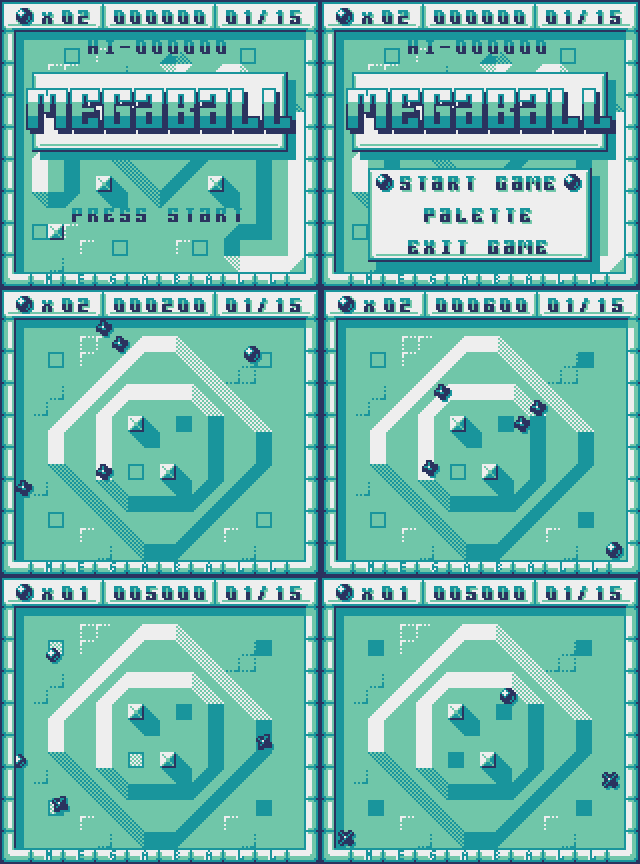
Another useful reference is a complete small game built in Pyxel, which shows the engine handling a full game loop:
Pyxel’s included editor also changes how you work compared with some other fantasy consoles. Because images, tilemaps, sound effects, and music are handled inside the ecosystem and saved as .pyxres, the project encourages a fairly self-contained loop: edit assets, run the app, tweak code, repeat. That can be more approachable than stitching together separate art and audio tools, especially for beginners.
Pyxel matters because it shows that fantasy-console design principles are not limited to standalone virtual machines. The underlying idea—make a small, deliberate box and let people create inside it—translates well into Python, which is already one of the most common beginner-friendly languages. That makes Pyxel a bridge between retro creative coding and mainstream programming practice.
It also matters as a preservation of constraints. Modern game tools often remove friction by adding features, but creative limitation can be educational. A 16-color palette, four sound channels, and a low-resolution display force you to think about composition, clarity, and interaction early. That can help hobbyists build smaller games that actually get finished, and it can make the feedback loop around graphics and sound easier to understand.
For the broader fantasy-console scene, Pyxel is significant because it expands the audience. Some users come to fantasy consoles for the cartridge aesthetic; others come for fast experimentation or for the discipline of working within fixed limits. Pyxel serves the second group especially well, and that helps keep the retro-creation space connected to modern programming communities rather than isolated from them.
Its popularity on GitHub also suggests that there is sustained interest in this hybrid model. The project’s official repository and PyPI page are the places to check for up-to-date documentation and installation details, but the broader significance is already clear: a constrained creative tool does not have to be closed, obscure, or difficult to reach. It can be open source, Python-based, and still remain faithful to the design logic of fantasy consoles.
If you are just starting out, Pyxel suits you if you want:
That combination makes it a practical entry point for hobbyists who want to learn through making, not through managing a large engine stack.
The official starting point is the Pyxel GitHub repository, which links the README, documentation, examples, and community channels. From there, install it with pip install pyxel, then follow the official guides and examples to open the built-in editor and run a sample app.
A good next step is to read the repository README and try one of the example projects, then watch a short tutorial if you want to see the editor and runtime together. The official docs and repository are the most reliable sources for current details.
The full source lives on GitHub. The repository card below links straight to it: